Symbility to Xactimate: How to Convert a Symbility (Cotality) Estimate to ESX



Can you convert a Symbility estimate to Xactimate?
Yes. Symbility is now Cotality, and its estimates are shared as PDF reports. Xactimate cannot open a PDF, so to edit the estimate in Xactimate you need an ESX file. A Cotality/Symbility to Xactimate ESX converter reads the PDF and rebuilds each line as a Xactimate line item you can import and edit.
Why a Symbility estimate does not open in Xactimate
Symbility and Xactimate are separate estimating systems, each with its own line item list and price list. A Symbility PDF shows descriptions, quantities and prices, but Xactimate imports only ESX files. Without a converter, the usual option is to re-type every line by hand.
How to convert a Symbility PDF to ESX
Step 1. Export the estimate from Symbility as a PDF.
Step 2. Upload the PDF to your EstimateHub dashboard. Your first conversion is free.
Step 3. Download the ESX file when the conversion finishes.
Step 4. Import the ESX into Xactimate. See how to import an ESX file into Xactimate.
What to check after you convert
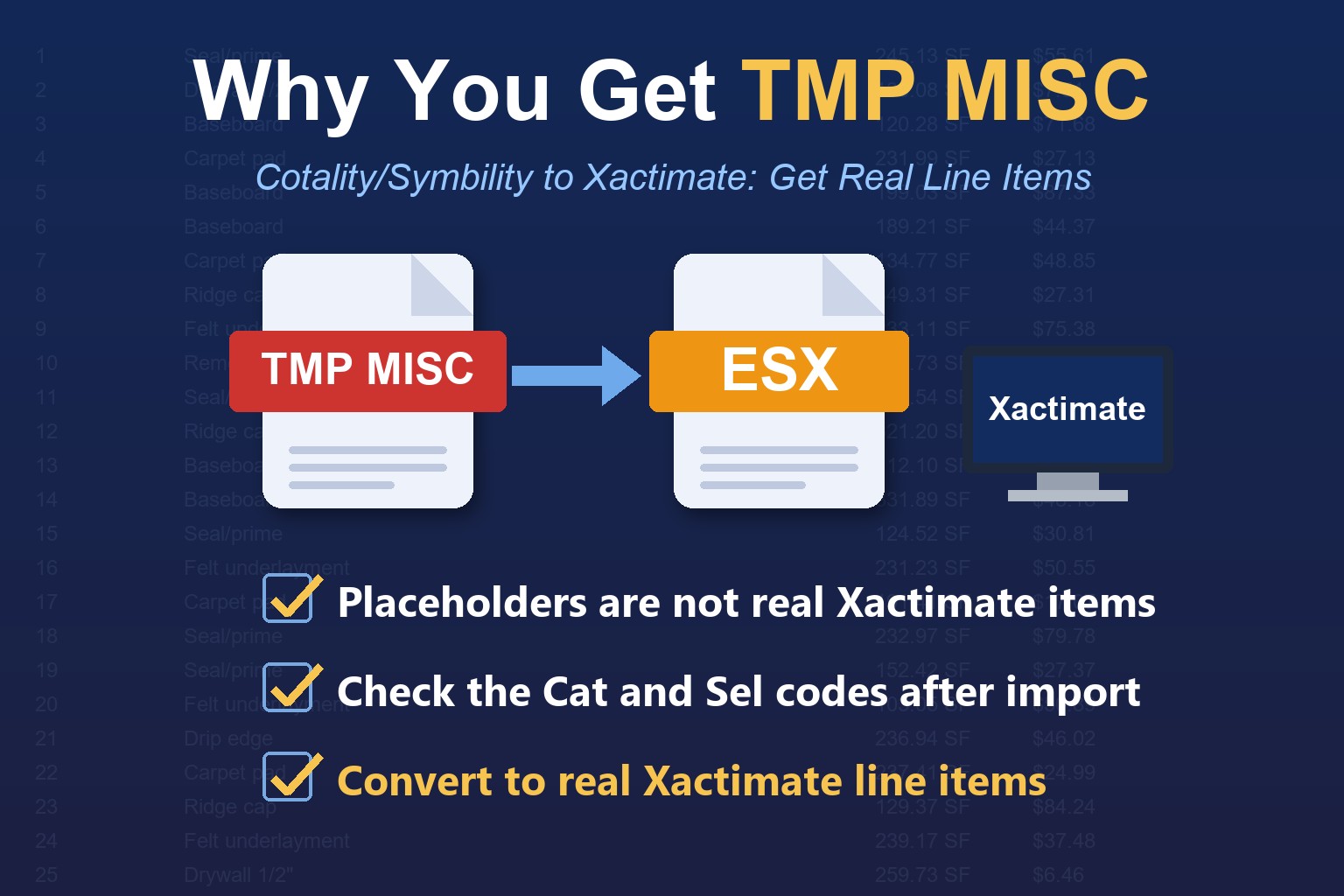
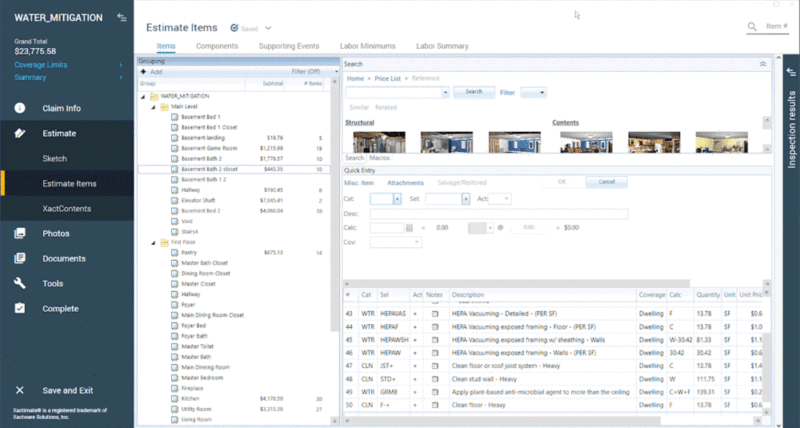
- Real line items. In Xactimate, open Estimate Items and look at the Cat and Sel columns. Real items show Xactimate codes. Sometimes you get some green line items, which are explained below.
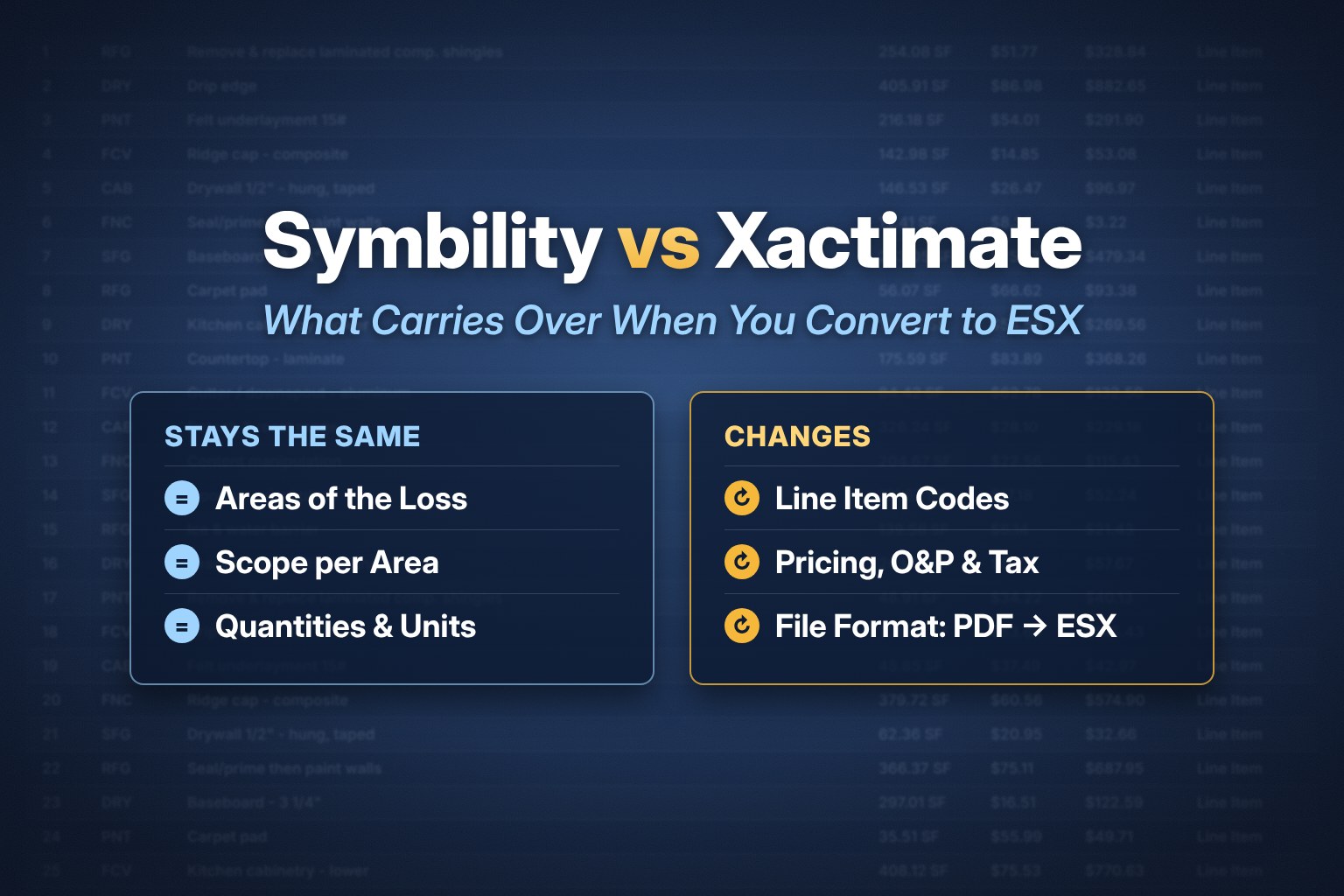
- Rooms and folders. Each area of the loss should come through as its own folder.
- Pricing. Prices follow your Xactimate price list after import. Review O&P and tax.
What a green line item means
Green line items are the TMP MISC lines described in why some converters return TMP MISC for Cotality/Symbility estimates. In an EstimateHub file there are very few of them, and each is one of two types:
No reliable match: Either Cotality's price is more than 10% above Xactimate's, or there's no direct equivalent. We keep these lines with their original Cotality description and amount, so your file keeps its full value.
Similar item, different unit: Xactimate has a close match but measures it in a different unit (SF vs LF). We keep the line and add guidance on how to enter it. For example: "Replace - Corrugated Roofing, Steel, Galvanized, 29 Gauge (Use RFG ALUM variation and set SF)"
What we found when we tested
On October 18, 2026 we ran one 63-line Cotality/Symbility PDF (Exterior, Bedroom 1, Kitchen and Roof) through several converters. EstimateHub translated 63 of 63 lines into Xactimate line item codes, with no TMP MISC lines, and kept the four areas as separate folders. The other converters we tried returned generic placeholder items such as TMP MISC or GEN BIDITEM, or did not return a file. This was one file on one day, and products change, so verify before you buy. The full table is on the PDF to ESX converter comparison.
Frequently asked questions
Is Symbility the same as Cotality?
Symbility was renamed Cotality, so searches for Symbility to ESX, Cotality to ESX and Symbility to Xactimate describe the same conversion.
Can Xactimate import a Symbility file directly?
No. Xactimate imports ESX files, not PDFs. Convert the Symbility PDF to ESX first.
Is the first conversion free?
Yes. Your first EstimateHub conversion is free.
I have a Xactimate PDF instead. What do I use?
Use the Xactimate PDF to ESX converter.