What Is an ESX File in Xactimate?



What Is an ESX File in Xactimate?
An ESX file is a structured estimate file used by Xactimate that stores information such as line items, quantities, notes, photos, etc. These ESX files allow estimate data to be exported from one Xactimate project and imported into another.
For example, after creating an estimate in Xactimate, a user can export the estimate as an ESX file (e.g. 1175HARRIS.ESX) and send it to another contractor or adjuster. When the recipient imports the ESX file into Xactimate, the estimate opens with the same line items, structure, and scope information already in place. This makes ESX files one of the primary ways professionals share and collaborate on estimates within the Xactimate ecosystem.
If you have ever received an estimate report but were unable to edit it inside Xactimate, understanding ESX files becomes extremely important. This guide explains what an ESX file is, what information it contains, and why it matters for contractors and estimators working with Xactimate estimates.
What Information Does an ESX File Contain?
An ESX file contains the structured data that forms the estimate. This typically includes:
- Line items for repairs and materials
- Quantities and measurements
- Folder and category structure
- Estimate notes and descriptions
- Scope organization
- Pricing references
Because all of this information is structured inside the ESX file, Xactimate can recreate the full estimate when the file is imported. This allows estimators to immediately begin reviewing and modifying the estimate without rebuilding it from scratch.
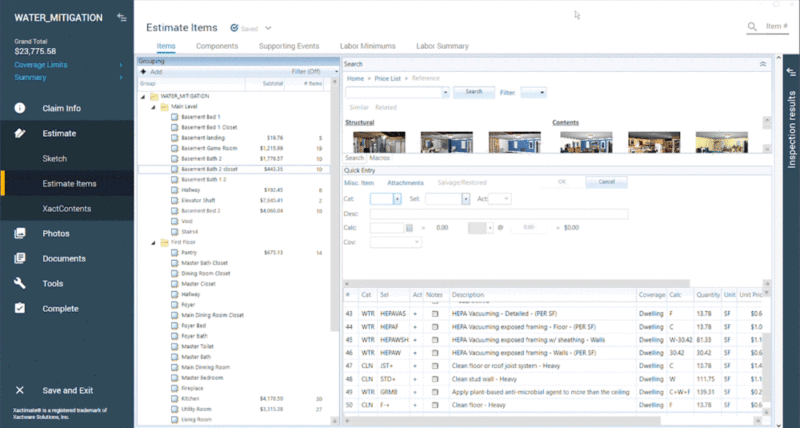
Here is a view from inside Xactimate:

Why ESX Files Matter for Xactimate Estimates
For contractors and adjusters, ESX files dramatically improve workflow efficiency.
When an estimate is available as an ESX file, it can be opened directly inside Xactimate. This means professionals can:
- Modify quantities
- Add additional scope items
- Update notes
- Adjust pricing based on their price list
- Finalize the estimate quickly
Instead of recreating the entire estimate, they can simply adjust the existing scope. This is why ESX files are the preferred format for sharing Xactimate estimates between professionals.
How to Import an ESX file into Xactimate
Learn more in our guide to How to Import an ESX file into Xactimate.
Looking for downloadable ESX templates?
If you want ready-to-use ESX files for Xactimate, visit ESX World to browse downloadable ESX templates and macro-style estimate files.
Why PDF Estimates Cannot Be Imported into Xactimate
A common problem in the industry occurs when estimates are shared only as PDF reports. While PDF reports show the estimate information, they are static documents. Xactimate cannot read the structured data inside a PDF, so the estimate cannot be imported into the software. As a result, contractors are often forced to rebuild the estimate manually by entering each line item again inside Xactimate. For large estimates, this can take hours of work even though most of the scope has already been written.
Converting PDF Estimates into ESX Files
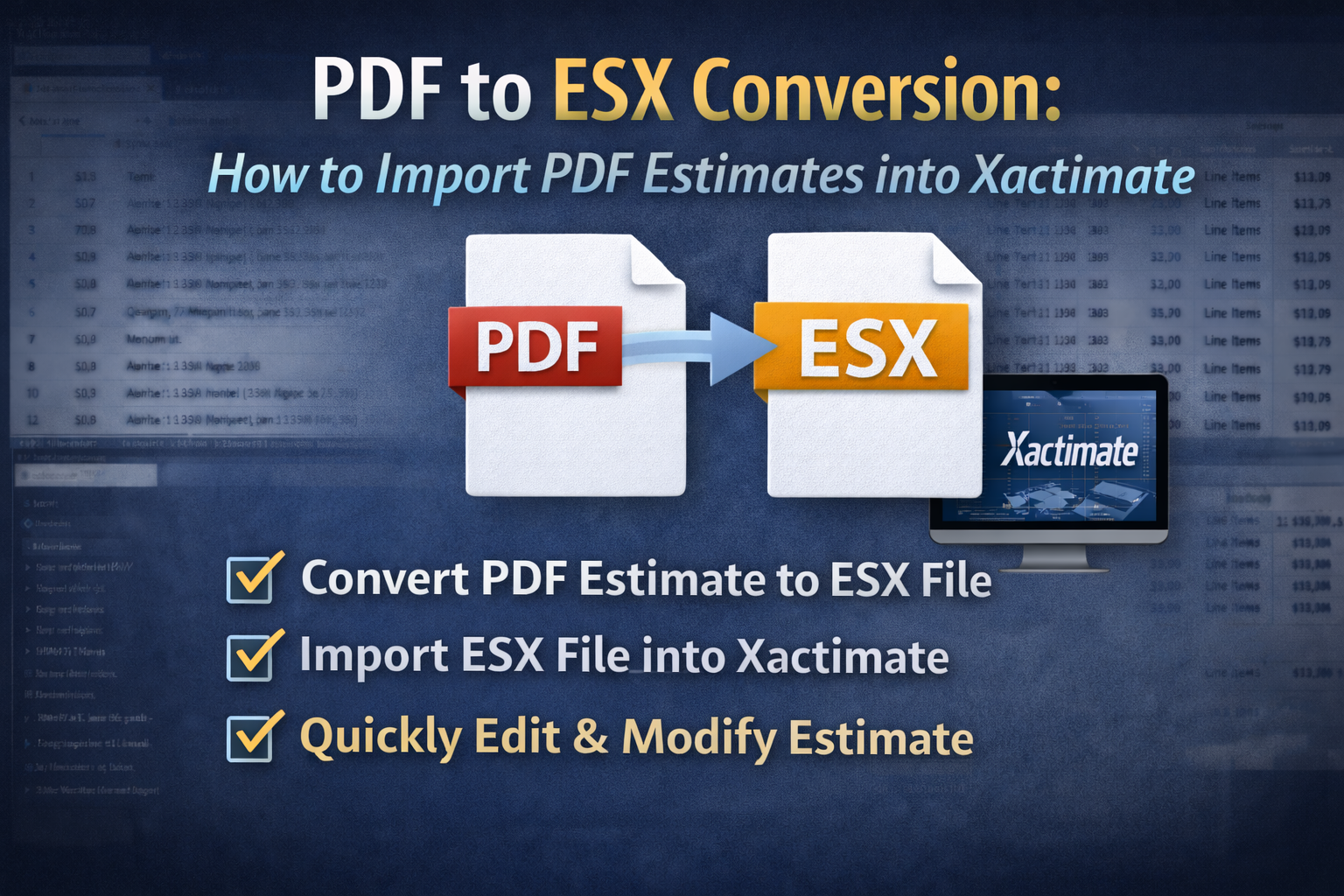
To solve this problem, some professionals use tools that convert PDF estimates into ESX files. For example, EstimateHub allows contractors, adjusters, and estimators to upload a PDF estimate and convert it into a structured ESX file that can be imported directly into Xactimate. Instead of recreating the estimate line by line, users can simply import the generated ESX file and begin editing the estimate immediately. If you only received a PDF estimate and need an ESX file for Xactimate, try EstimateHub’s PDF to ESX converter.
Final Thoughts
Understanding ESX files is essential for anyone working with Xactimate estimates. ESX files contain the structured data that allows estimates to be opened, edited, and expanded inside the estimating software. When ESX files are unavailable and estimates are only provided as PDF reports, contractors often face the time-consuming task of rebuilding the estimate manually. By converting PDF estimates into ESX files, professionals can restore a faster workflow and maintain the structure of the original estimate.
Frequenty Asked Questions About ESX Files:
Can I import an ESX file into Xactimate?
Yes. ESX files are designed to be imported into Xactimate so users can review, edit, and revise the estimate.
Is an ESX file the same as a PDF estimate?
No. A PDF estimate is a static document, while an ESX file contains structured estimate data that Xactimate can read and edit.
What if I only have a PDF estimate?
If you only have a PDF estimate, a PDF to ESX conversion tool like EstimateHub can reconstruct the estimate into an ESX file that can be imported into Xactimate.